
Index
Introduction
The rapid transition from traditional hard drives to high-performance solid-state drives has made M.2 NVMe and SATA SSDs the industry standard for modern computing. For IT departments, system integrators, and electronics manufacturers, managing data deployment across these high-speed drives requires a specialized infrastructure. Using software or PC-based cloning methods is slow, inefficient, and vulnerable to security risks.
Investing in a dedicated M.2 Duplicator streamlines deployment, drastically reduces labor hours, and ensures flawless data integrity. Whether you are a small repair workshop requiring an budget-friendly solution or a high-volume factory executing mass production, selecting a hardware duplicator tailored to your workflow is essential for maximizing operational efficiency.
How M.2 SSD Cloning Works
Dedicated hardware duplication avoids the common performance traps of software-based cloning. Instead of relying on a computer’s operating system, processor, and shared PCIe lanes, a standalone M.2 duplicator uses advanced Field-Programmable Gate Array (FPGA) architectures. This engine communicates directly with the physical storage controllers over native protocols.
When a master drive is inserted into the source port, the duplicator reads the raw sectors or maps the active file allocation blocks. It then broadcasts this data stream concurrently across dedicated physical channels to multiple target ports. This direct point-to-multipoint communication channel ensures that adding more target drives does not degrade or dilute the transfer speeds. Hardware duplicators also run hardware-accelerated CRC checksums and bit-by-bit data comparisons in real time. This guarantees that every clone matches the master with absolute binary accuracy.
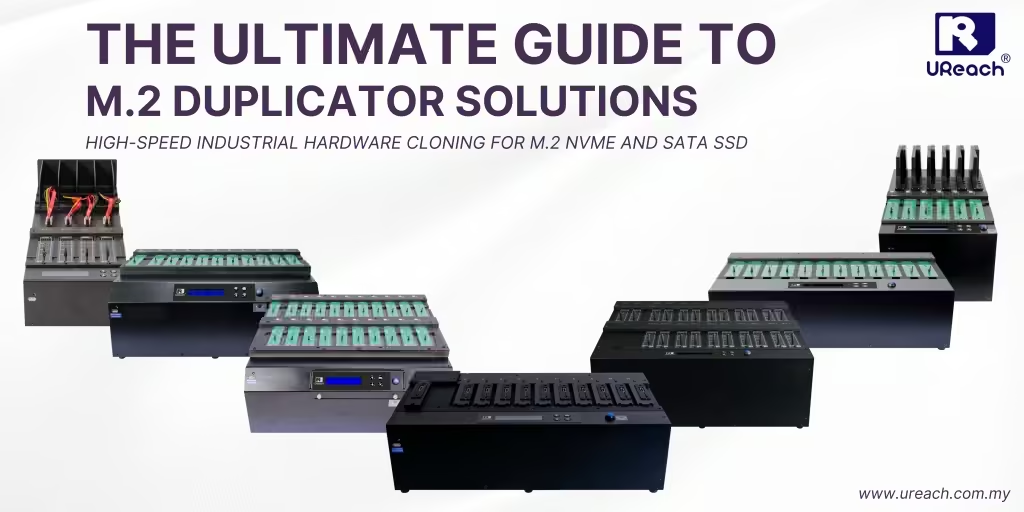
The Complete UReach M.2 Duplicator Lineup (7 Key Series)
UReach offers an engineered portfolio of standalone duplicators designed to meet various speed, scaling, and form-factor deployment requirements:
1. PU Series

Key feature:
- Max Speed: 60 GB/min
- Target Ports: 1-to-5, 1-to-10 and 1-to-20 ports
- Compatibility: M.2 SSD, (U.2, E1.S, PCIe, SATA SSD with Optional Adapter)
- Highlight: Support E1.S Enterprise-grade SSD, Event Log Management, GOB Image Management, SSD Firmware Burn-in
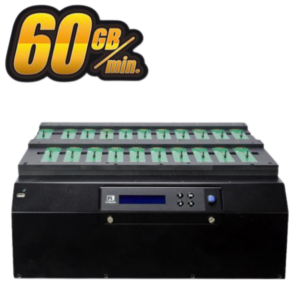
2. PE-H Series
Key feature:
- Max Speed: 60GB/min
- Target Ports: 1-to-5, 1-to-10, 1-to-15 and 1-to-23 ports
- Compatibility: M.2 SSD (U.2 and SATA SSD with Optional Adapter)
- Highlight: Event Log Management, GOB Image Management, SSD Firmware Burn-in
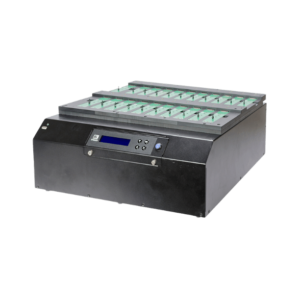
3. PE Series
Key feature:
- Max Speed: 24GB/min
- Target Ports: 1-to-5, 1-to-10, 1-to-15 and 1-to-23 ports
- Compatibility: M.2 SSD (U.2 and SATA SSD with Optional Adapter)
- Highlight: Event Log Management, GOB Image Management, SSD Firmware Burn-in
4. PH Series
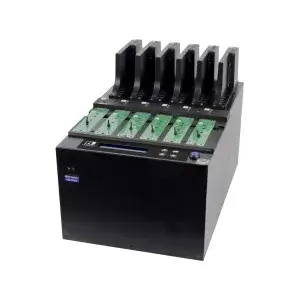
Key feature:
- Max Speed: 24GB/min
- Target Ports: 1-to-5 and 1-to-10 ports
- Compatibility: M.2 SSD, 2.5″ SATA (mSATA and CFast with Optional Adapter)
- Highlight: Cross-interface Duplication, Event Log Management
5. PW-H Series
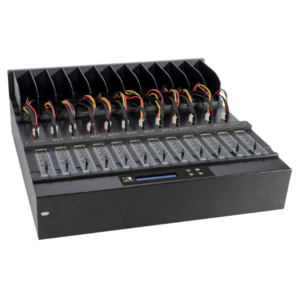
Key feature:
- Max Speed: 18GB/min
- Target Ports: 1-to-3, 1-to-7 and 1-to-11 ports
- Compatibility: M.2 SSD, 2.5″/3.5″ SATA (mSATA and CFast with Optional Adapter)
- Highlight: Cross-interface Duplication, Event Log Management
6. NP Series
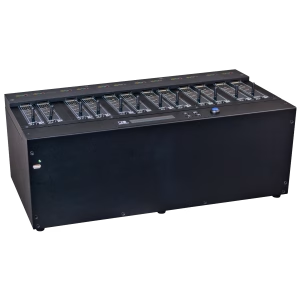
Key feature:
- Max Speed: 22GB/min
- Target Ports: 1-to-7, 1-to-11 and 1-to-21 ports
- Compatibility: M.2 SSD
7. PV Series
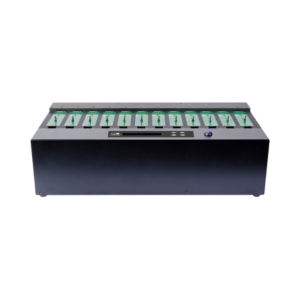
Key feature:
- Max Speed: 12GB/min (9GB/min for 1-to-3 ports)
- Target Ports: 1-to-3, 1-to-7, 1-to-11 and 1-to-23 ports
- Compatibility: M.2 SSD
Check out U-Reach Full Series M.2 PCIe Duplicator: Full Series M.2 Duplicator
M.2 Duplicator Comparison Chart
| Model Series | Target Ports | Target Drive Signals | Max Copy Speed | Key Feature |
|---|---|---|---|---|
| PU Series | 1 to 5, 1 to 10, 1 to 20 | M.2 U.2 U.3 E1.S E3.S PCIe NVMe NGFF / 2.5 SATA | Up to 60 GB/min | Support EDSFF Enterprise-grade SSD, Event Log Management, GOB Image Management, SSD Firmware Burn-in |
| PE-H Series | 1 to 5, 1 to 10, 1 to 15, 1 to 20 | M.2 U.2 U.3 PCIe NVMe NGFF / 2.5 SATA | Up to 60 GB/min | Event Log Management, GOB Image Management, SSD Firmware Burn-in |
| PE Series | 1 to 5, 1 to 10, 1 to 15, 1 to 20 | M.2 U.2 U.3 PCIe NVMe NGFF / 2.5 SATA | Up to 24 GB/min | Event Log Management, GOB Image Management, SSD Firmware Burn-in |
| PH Series | 1 to 5, 1 to 10 | M.2 PCIe NVMe NGFF / 2.5 SATA | Up to 24 GB/min | Cross-interface Duplication, Event Log Management, GOB Image Management, |
| PW-H Series | 1 to 3, 1 to 7, 1 to 11 | M.2 PCIe NVMe NGFF / 2.5 3.5 SATA | Up to 18 GB/min | Cross-interface Duplication, Event Log Management |
| NP Series | 1 to 7, 1 to 11, 1 to 20 | M.2 PCIe NVMe NGFF | Up to 22 GB/min | M.2 NVMe/NGFF Dual Signal Auto Detection |
| PV Series | 1 to 3, 1 to 7, 1 to 11, 1 to 23 | M.2 PCIe NVMe NGFF | Up to 12 GB/min | M.2 NVMe/NGFF Dual Signal Auto Detection |
How to Choose the Right M.2 Duplicator
Selecting the optimal duplication platform requires matching your volume demands with the correct technical
specifications:
Assess Volume and Port Scaling: For large-scale manufacturing or high-volume deployments, select high-density systems like the PU, PE or PV series, which scale up to 20+ targets in a single station.
- Small Scale (1-to-3, 1-to-5 ports): Customised PC Store, R&D, Testing Lab, Light PC Manufacturing
- Large Scale (1-to-10, 1-to-20 ports): PC/Laptop Manufacturing, Server Manufacturing, Chipset Manufacturing, Semiconductor Testing, IPC/Military PC Manufacturing
Evaluate Throughput Performance: If time minimization is your primary metric, opt for the 60 GB/min capability of the PE-H or PU series to maximize data throughput.
Verify Form-Factor and Protocol Requirements: If your workflow mixes consumer M.2 drives with enterprise storage, select the PU series (for U.2 and E1.S/E3.S modules) or the PH/PW-H series for native cross-interface adaptation.
Key Advantages of Standalone M.2 Duplicators
- No Performance Degradation: Unlike PC platforms where sharing data buses slows down multi-drive operations, dedicated hardware provides a dedicated, fixed bandwidth allocation to each target port.
- Cross-Signal and Cross-Interface Flexibility: Natively bridges the technological gap between different underlying storage architectures (such as copying a M.2 SATA master to a M.2 NVMe target).
- Comprehensive Data Sanitization: Built-in erasure compliance options like quick erase, full erase, DoD 5220.22-M, and NIST 800-88 Secure Erase make these platforms powerful security sanitization tools.
- Secure Operational Infrastructure: Closed, FPGA-driven operating systems remove the security risks of virus infections, unauthorized network extraction, or drive source corruption.
- Production Log Reporting: Event Log Management feature is useful for EMS manufacturing MES or ERP integration.
- Centralised Multiple Source Images: GOB Image Management function convert multiple physical source drives into single master drive either from Duplicator, PC or Cloud. The specific image can be duplicated from master drive into many target drives when undergoes production.
Conclusion
Relying on legacy PC-based software methods to manage modern solid-state media creates severe efficiency bottlenecks and security risks. Investing in a professional, standalone M.2 duplicator gives your business access to unmatched execution speed, comprehensive device compatibility, and scalable production workflows. Whether you need the massive scale of the PV series, the multi-signal flexibility of the PH series, or the blazing 60 GB/min speed of the PE-H series, UReach hardware provides the reliability and performance required to future-proof your storage management workflows.
Q&A about M.2 Duplicator
Q1: Can a M.2 PCIe duplicator copy a SATA-based M.2 SSD to an NVMe-based M.2 SSD?
A: Yes. All UReach M.2 PCIe series include native Cross-Signal Duplication features. This allows them to clone data smoothly from an NGFF (SATA M.2) source directly onto an NVMe M.2 target.
Q2: Does the copying process slow down if I fill every available target port?
A: No. Dedicated FPGA-based duplicators provide independent, dedicated bandwidth to every single port. This ensures that performance remains constant without any speed degradation, whether you are cloning to a single drive or 23 targets simultaneously.
Q3: How do hardware duplicators confirm that cloned data is completely accurate?
A: These systems execute rigorous hardware-accelerated, bit-by-bit data comparisons alongside CRC checksum verification layers. This ensures a 100% accurate binary match between the master source and all target drives.
Q4: Can these systems handle enterprise form factors like U.2 or E1.S?
A: Yes. Models such as the UReach PU Series feature modular, exchangeable interface slots. These can easily expand using specialized socket modules to support enterprise-grade formats like U.2, E1.S, and E3.S.
Q5: Are standalone duplicators safe from computer viruses and malware?
A: Yes. Because these units operate on a standalone, non-PC based FPGA platform with a closed architecture, they completely eliminate the risk of computer virus infections, OS instability, or malware tampering.
With over 20 years of experience, U-Reach Inc. specializes in high-speed, stable data solutions, including duplication, inspection, and data-erasing equipment for Flash, HDD, and M.2 PCI-E SSDs.
U-Reach Malaysia (Fobedo Group Sdn. Bhd.) was established in Kuala Lumpur in 2024 as a local branch, expanding services across South East Asia. U-Reach is a trusted global brand, used by leading companies in industries such as semiconductor IC design, government, military, medical, and data center.
With 8 branches worldwide, U-Reach offers comprehensive technical support and real-time service to meet the needs of local and multinational businesses.
Click here to contact our hard disk cloning professional consultants immediately!

Check out our full series of Cloner: Full Series Data Cloner
Check out Carry series portable cloner: Carry Series HDD/SSD Cloner
UReach-Malaysia official website: https://ureach.com.my/
E-mail: info@ureach.com.my